
Works with the agents you useWorks with Claude Code, Codex, Cursor and Grok
Where you and your agentswork as one team.
Mail, calendar, Plain and notes in one Mac app. Claude Code sums up each email, drafts replies and answers questions about your day. You decide what gets sent.
Free while in alpha. No new AI subscription. macOS 14 or later.


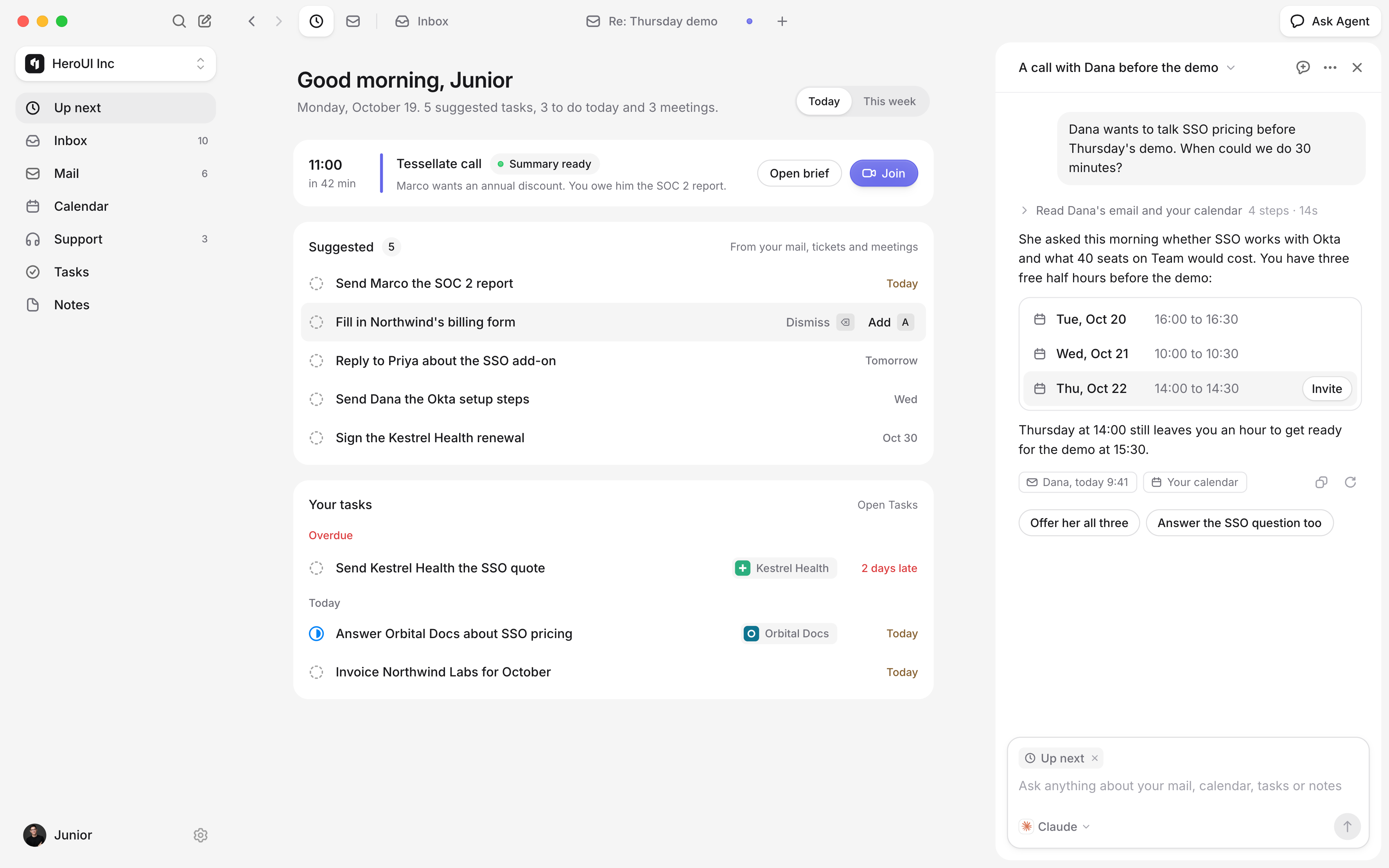
Introducing HeroSpace
Your day is spread across six tabs.
Gmail, Calendar, Plain, your notes and an agent waiting in a terminal. Something needs you in each one, and you find out late.
HeroSpace puts it in one place.
Mail, Plain tickets and invites land in one Inbox, with whatever has waited longest at the top and a line on what each one needs.
How it works
Your agents do the reading.You keep the final say.
HeroSpace has no AI of its own. The agents you already use read your mail, calendar and tickets through it, and you see every step they take.
- 01
Connect your apps and agents
Sign in with Google, connect Plain, and add HeroSpace to Claude Code, Codex or Cursor in one click. No new AI bill.
- 02
It reads ahead for you
Each new email and ticket gets a short summary of what it needs from you, often with the reply already drafted.
- 03
You make the calls
An agent asks before it saves a draft, moves a meeting or changes a task. Only you press Send.
Summaries
Know what each email needsbefore you open it.
Claude Code reads new mail and Plain tickets as they arrive and sums up each one: what they asked, what you owe, and the next step with the button that does it.
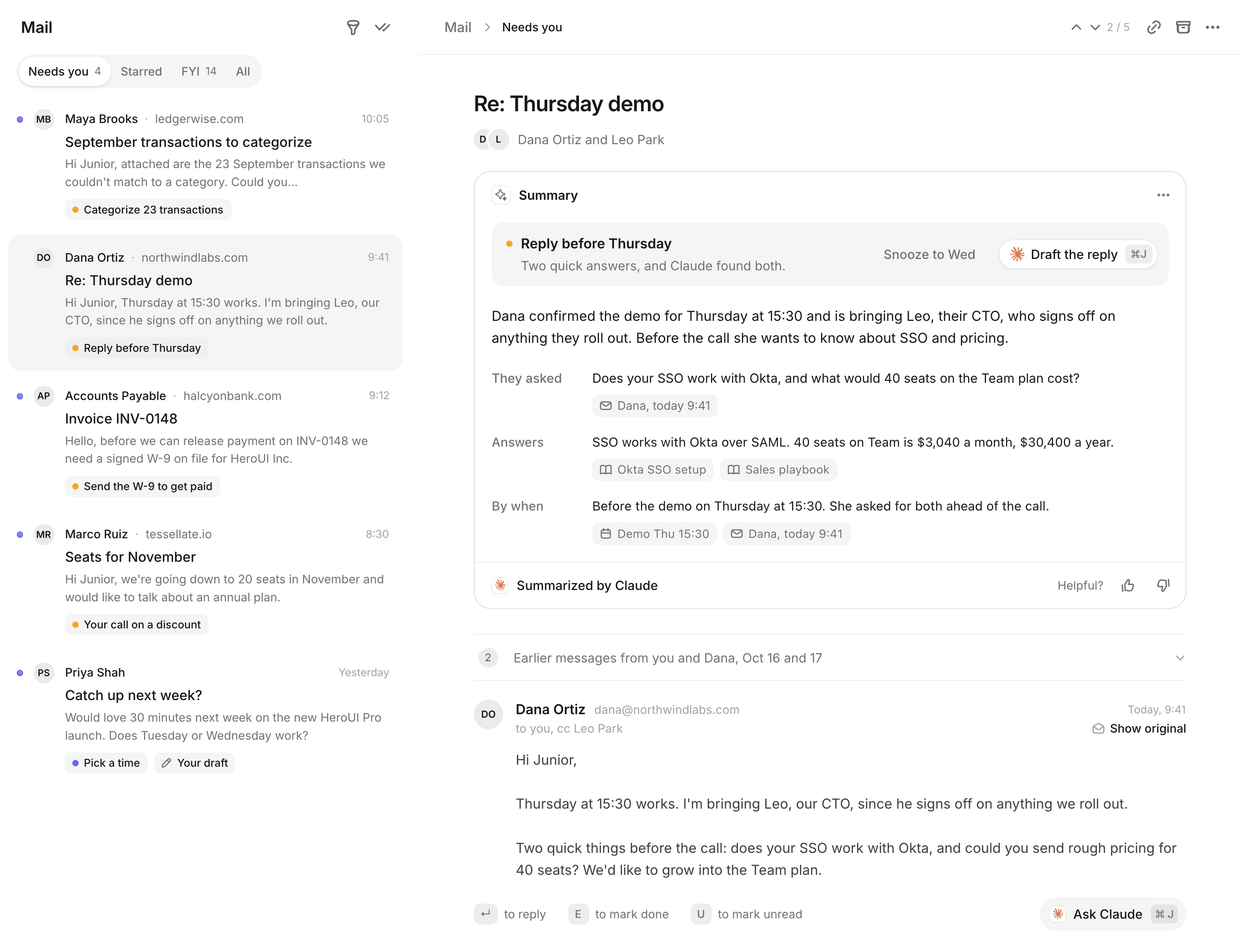
Ask Agent
Ask in plain words.Agents do the legwork.
Press ⌥⌘J on any page and ask. Your agent reads your mail, calendar, notes and tickets, shows each step, and asks before it saves a draft or changes a task. It works the same from Claude Code, Codex or Cursor.

✻ Welcome to Claude Code
herospace MCP connected
Prep me for the Kestrel Health call at 14:00
Reading your 14:00 from HeroSpace
Mail and Calendar
Answer email faster,move meetings by asking.
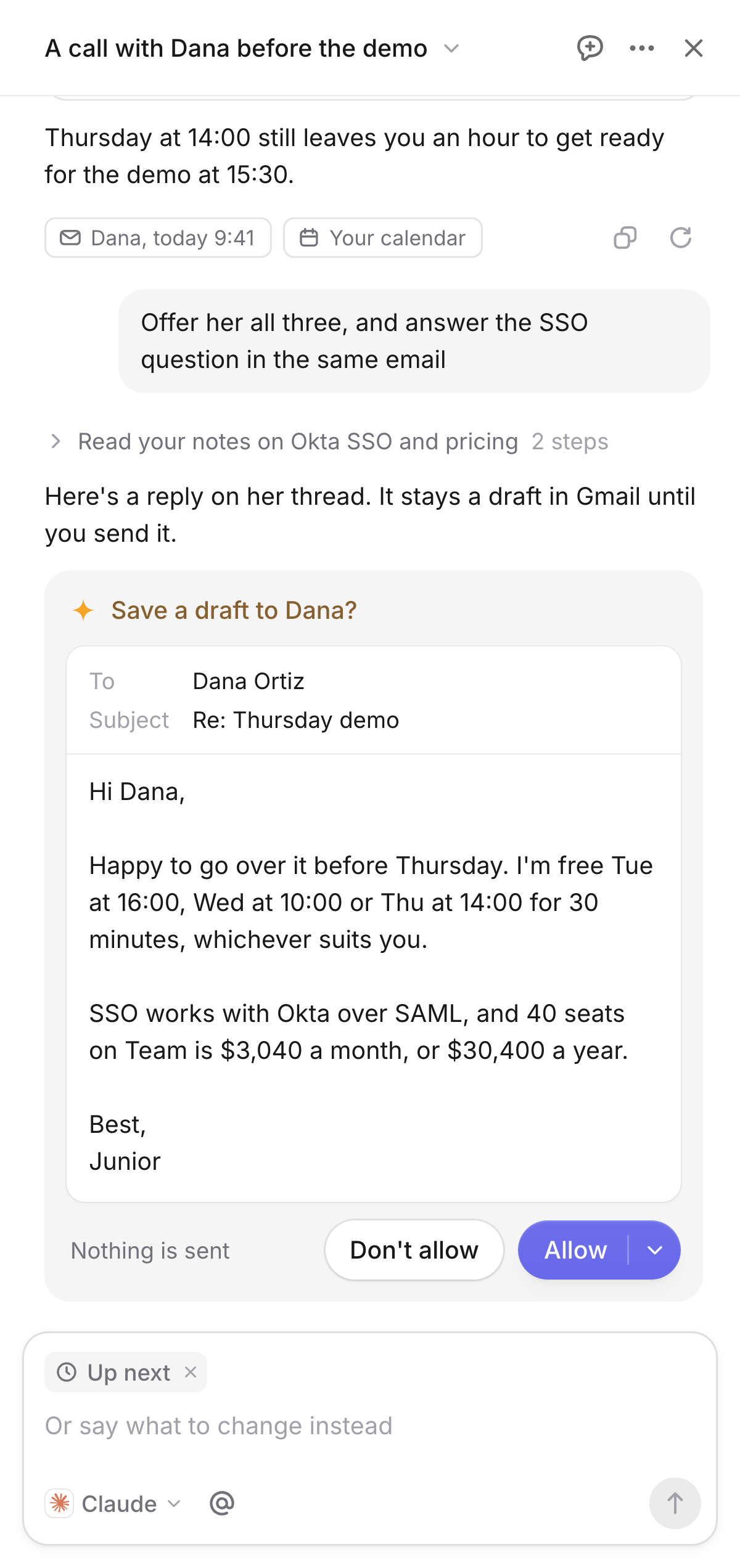
Your Gmail and Google Calendar, right in HeroSpace, with a key for everything. Say what you want in a sentence, and your agent writes the reply or finds the new time.
Replies drafted before you open them.
Claude Code drafts replies to the emails waiting on you, in your voice, and saves them in Gmail. Ask for shorter or warmer, then press Send.
Rescheduling without the back-and-forth.
Say “move my 3pm to Thursday.” Your agent finds a time that works and moves it, or asks the organizer when it’s their meeting.
Tasks
Everything you owe people,in one list.
Your agents notice what you promised in email, tickets and calls, and suggest it as a task. Each task links back to where it came from, with the due date it was given.
Suggested from what you read.
Up next shows what you owe someone, quoting the words it came from. Press A to add it, or ⌫ to dismiss it for good.
Linked to where it came from.
Open a task and the email, ticket, meeting or note behind it is one click away. Create one from any thread with ⇧T.
Built for founders
Calls, notes and support,next to your inbox.
Get ready for a call, clean up your notes or answer a customer without opening another app.
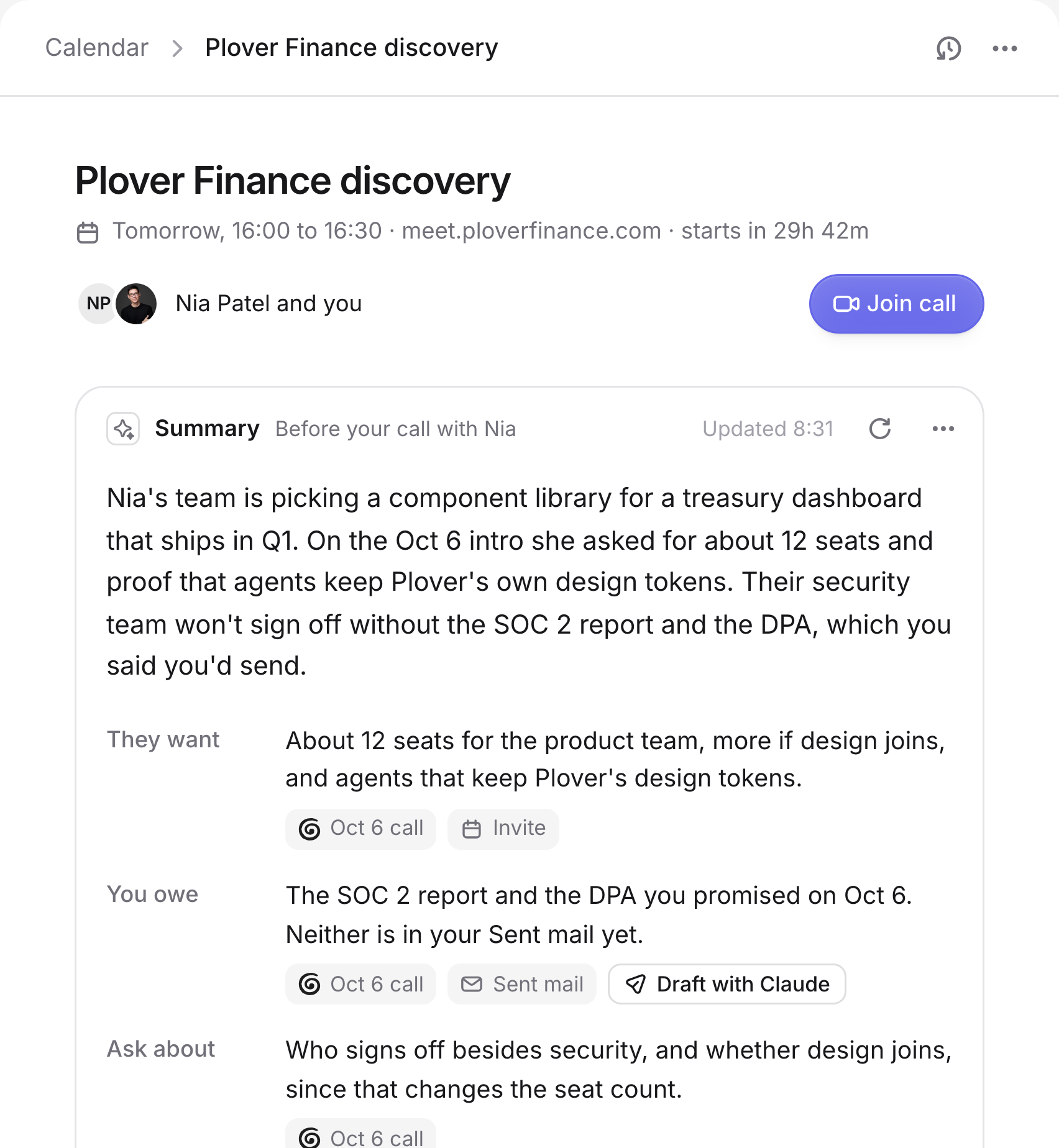
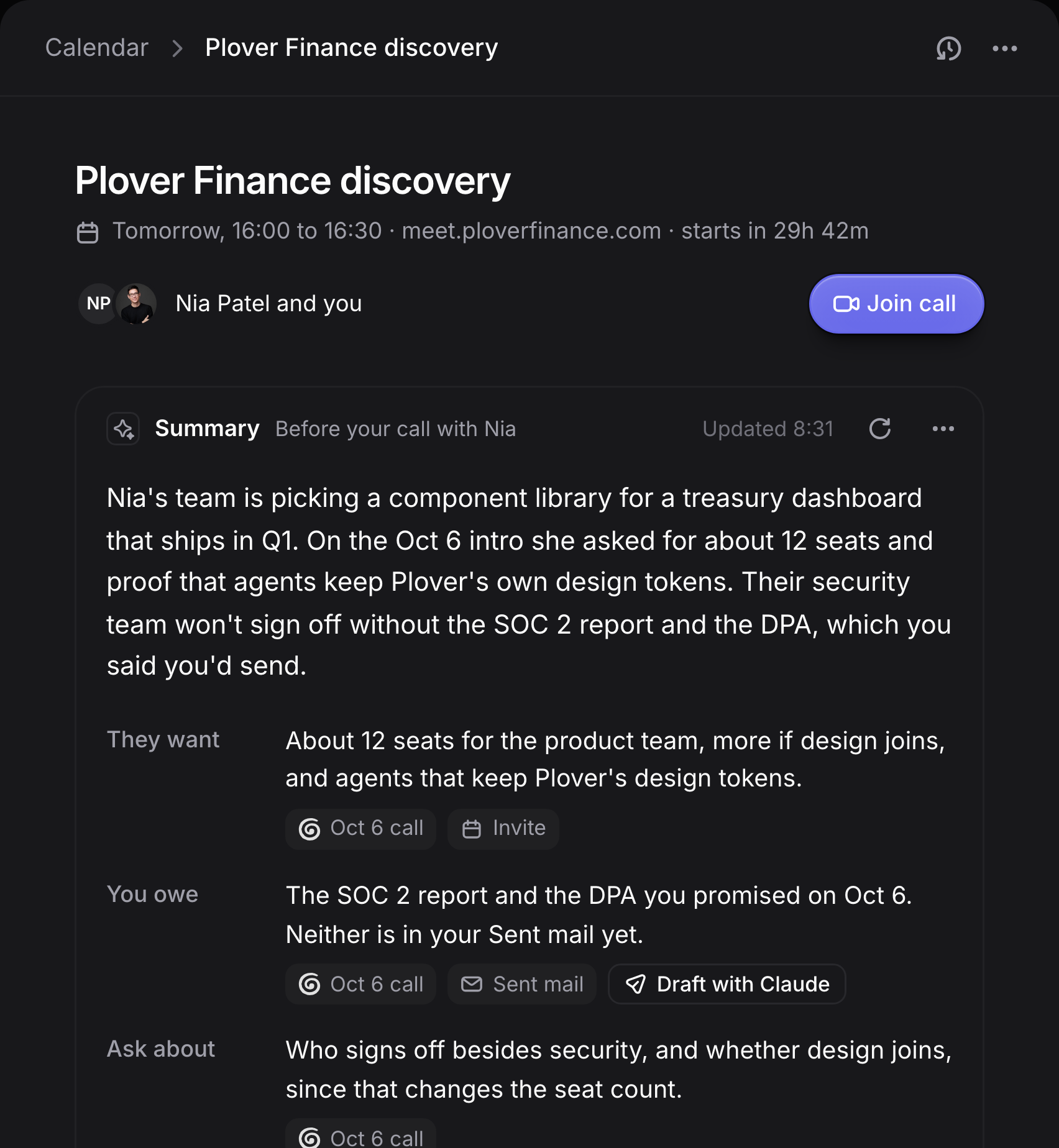
Meeting summaries
Know what they wantbefore you join.
Press Summarize. An agent reads the invite, your Granola notes and your mail with the guests, then writes down what they want and what you owe them.
- Each point shows the call or email it came from
- Opens your Granola notes from past calls
- Ready the morning of each outside meeting


Notes
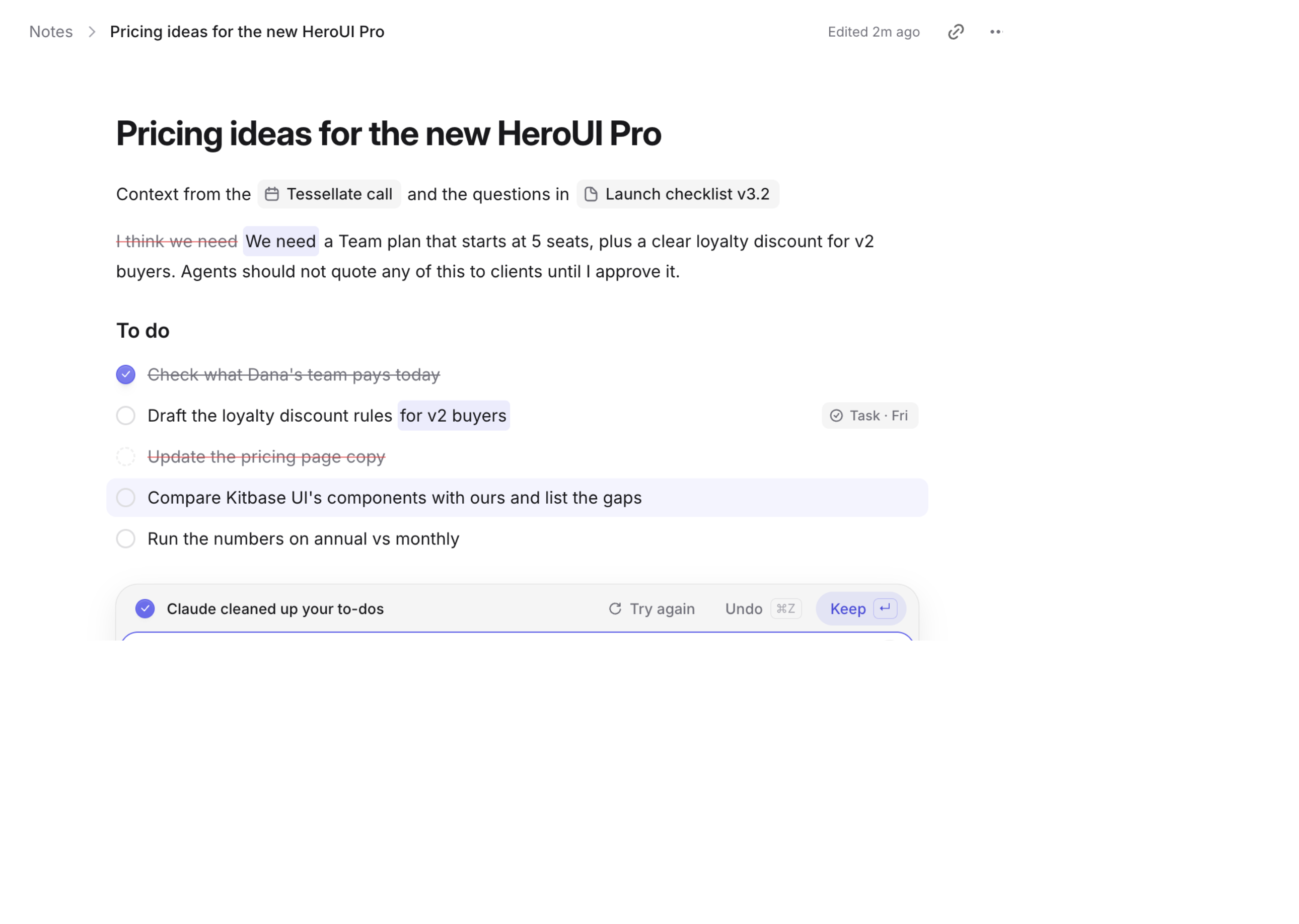
Notes your agentcan tidy up.
Write with slash commands, to-dos and toggles. Ask Claude to tidy up or pull out the to-dos, and see every change before you keep it.
- Turn any to-do into a task in one click
- Bring your notes over from Notion or Obsidian
- Keep or undo every change Claude makes

Support
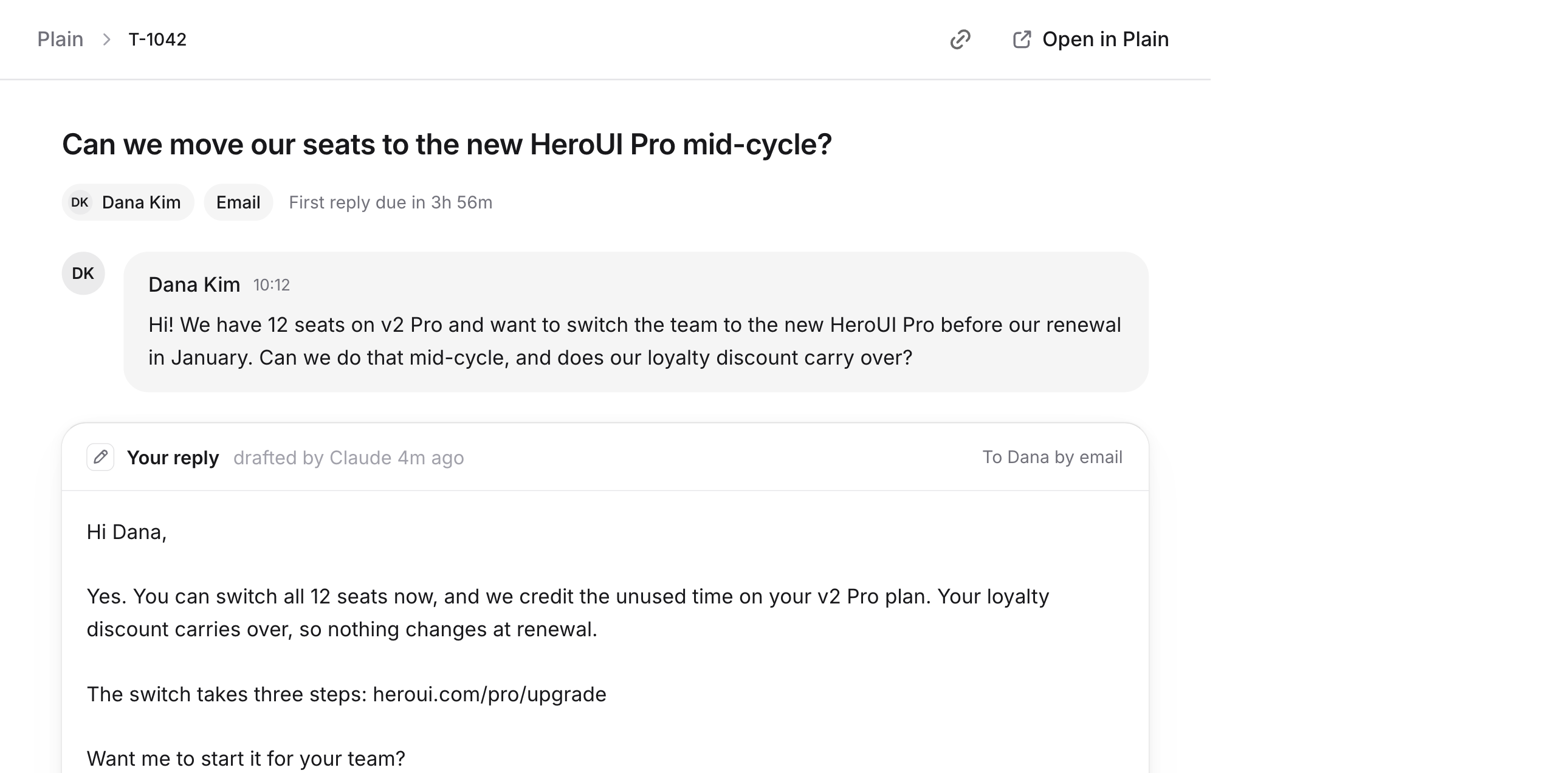
Plain tickets,with the reply drafted.
For teams on Plain. An agent reads the ticket and drafts a reply for you to edit and send.
- Send and mark it done in one step
- Snooze, assign and label from the keyboard
- Flags likely spam before you read it

The details
Small thingsyou’ll use every day.
HeroSpace is built for people who live in their inbox and calendar, so the parts you touch a hundred times a day are fast.
Context
Connect your apps once.Every agent starts with context.
Gmail, Google Calendar, Granola and Plain connect to HeroSpace once. Every agent you use reads them through it, with your permissions, so you don’t explain things twice.
Mail, calendar, call notes and tickets, read together. A meeting summary can pull from all of them.
Connected apps
 Gmail
Gmail Google Calendar
 Granola
 Plain
Plain
Privacy and control
Your agents only seewhat you let them.
You choose what each agent can read and do, app by app. Mail and tickets are read with no tools, so a message can’t tell an agent what to do. HeroSpace has no AI model of its own and never trains on your data.
Read the privacy policyYou approve what goes out
Drafts, calendar changes and task edits wait until you approve them.
Permissions per tool
Allow, ask first or block each thing an agent can do, app by app.
A log of everything
See every tool call an agent made, including the ones you blocked.
Your own agents
They run on your Mac and use your Claude, ChatGPT or Cursor plan.
Integrations
Works with the agentsyou already pay for.
Connect Claude Code, Codex or Cursor in one click. They work with your mail, calendar, notes and tasks through HeroSpace, within the permissions you set.

Claude
Your Claude plan

Codex
Your ChatGPT plan

Cursor
Your Cursor plan
Any MCP agent
Add in one command
- Google Calendar
- Gmail
 Plain
Plain- Granola
- More soon
FAQ
Questionsbefore you start.
Didn’t find yours? Ask us on Discord.